Is Forex Tester Online worth it?
Forex Tester Online is worth considering for browser-based forex replay, project setup, trade journaling and analytics in one workflow. The key decision is whether Starter’s 69 symbols are enough or Pro’s 283 symbols and advanced tools justify the higher lifetime price. Test the free demo first.
Forex Tester Online at a glance
| Decision point | Current evidence | Status |
|---|---|---|
| Product type | Browser-based forex backtesting project, replay, journal and analytics workflow | Observed |
| Free access | Free demo / Free Project; no card stated by the vendor | Vendor feature page |
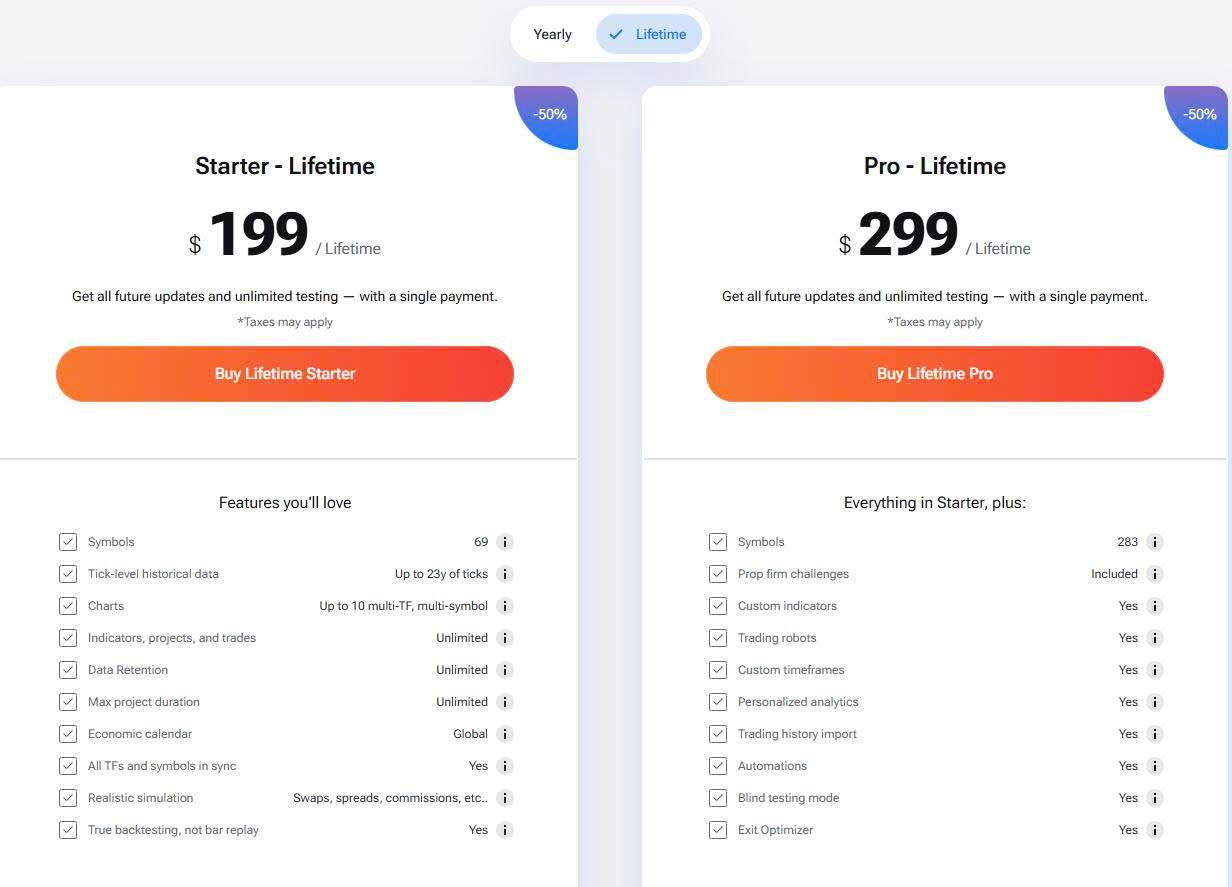
| Lifetime pricing | Starter $199; Pro $299 in the supplied pricing screenshot | Observed November 26, 2026 |
| Symbols | Starter 69; Pro 283 in the supplied pricing screenshot | Observed |
| Historical data | Vendor states 23 years of tick data across 270+ instruments | Vendor-stated |
| Not tested | Custom robots, every symbol/data range and independent feed accuracy | Not verified |
Try the browser workflow before buying a license
The official site offers a free demo without a card. If you later choose a paid plan, code SONLE10 provides an additional 10% discount and may be combined with website discounts, according to Forex Tester Affiliate Support. Verify the final price at checkout.
Best for a browser project workflow with visible analytics
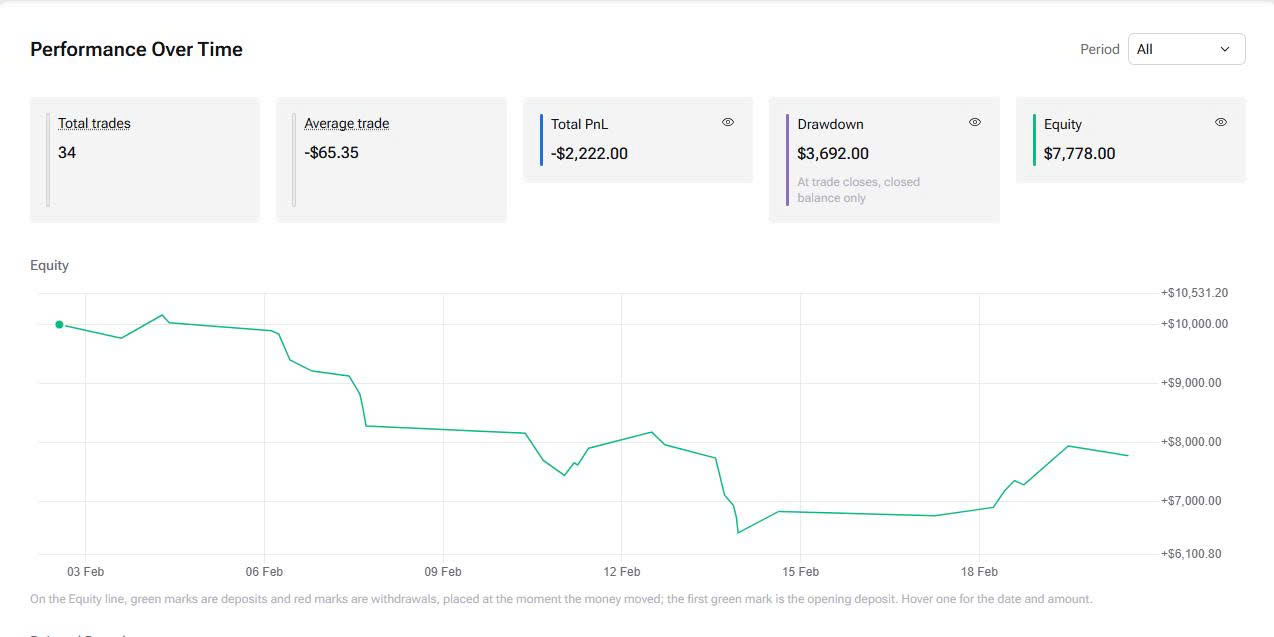
Forex Tester Online offers a structured start: create a project, choose symbols and account assumptions, run the replay, place simulated orders and inspect performance. The supplied report screenshot shows negative simulated results. It documents the reporting interface, not product accuracy or trading outcomes.
How does Forex Tester Online project setup work?
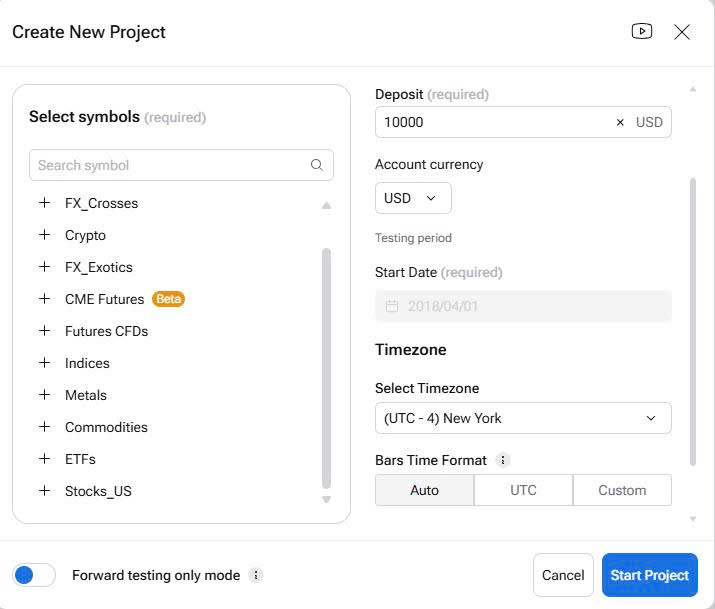
The Create New Project screen included symbol groups, starting deposit, account currency, testing period, timezone, bar time format and a forward-testing-only option. This gives users a clear place to define the test environment before opening the chart.
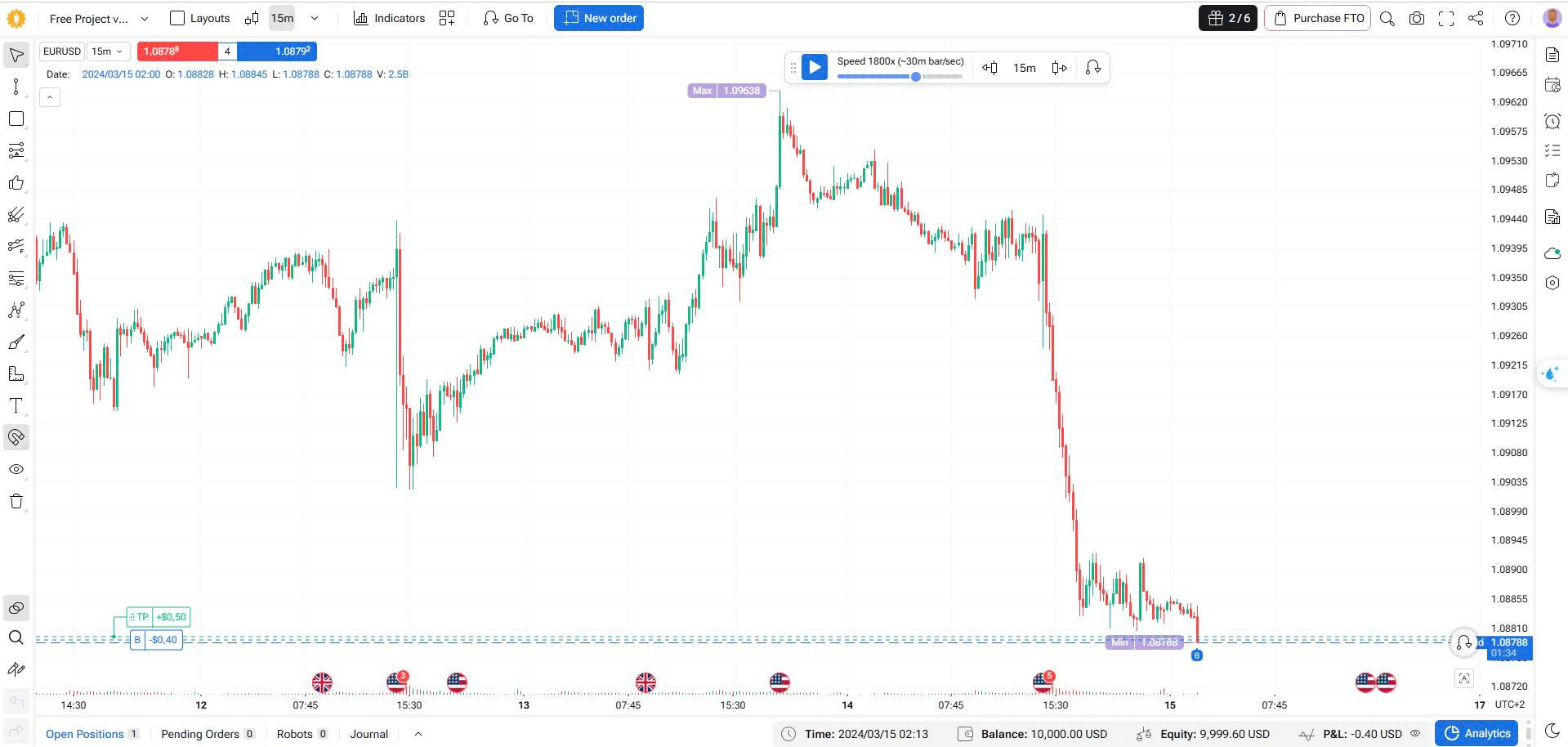
Browser replay workflow
The tested screen displayed EURUSD on a 15-minute chart with replay speed controls, simulated orders and account balance. A Free Project label and purchase prompt were visible, making the account state easier to understand.
Orders and journaling
The New Order panel included lot or risk sizing, stop loss, take profit and a journal area. That combination is useful for manual backtesting because it keeps the decision inputs and notes close to the simulated order.
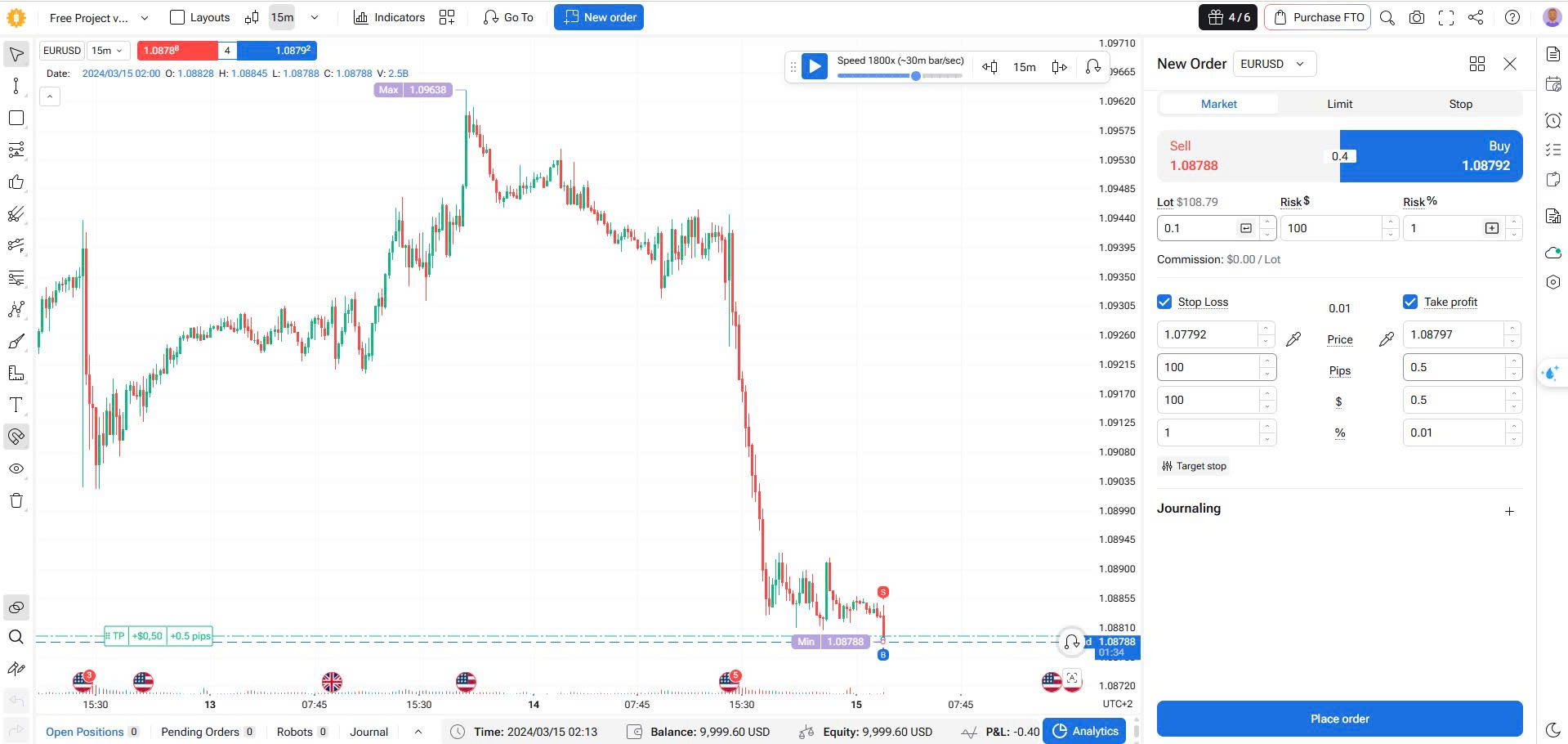
Test the journal and order panel together
The strongest reason to try FTO is the combined workflow: size the simulated order, define exits and record context without leaving the panel.
Analytics without a cherry-picked win
Our captured report showed 34 simulated trades, a negative total P&L and a drawdown. Those figures are not a judgment on the software and are not live trading evidence. They are included because they show which metrics the product reports and avoid presenting only a favorable outcome.
Forex Tester Online pricing: Starter vs Pro lifetime
The pricing screen showed Starter Lifetime at $199 with 69 symbols and Pro Lifetime at $299 with 283 symbols, both with a 50% badge at the time supplied. Promotions can end and taxes may apply. Confirm the live price and whether you need Pro-only custom indicators, robots, timeframes, analytics and automations.
What stood out
- Structured project creation
- Browser-based replay
- Order journaling beside risk fields
- Visible performance and drawdown reports
Limits to verify
- Promotion and lifetime pricing can change
- Symbol and feature counts vary by plan
- We did not test custom robots or every data range
- Simulated analytics do not predict live performance
Who should use Forex Tester Online—and who should skip it?
Consider FTO if you want project-level settings, synchronized browser charts, tick-data claims, journaling and report analysis in one product. Skip or delay a paid plan if you only need occasional chart replay, prefer a simple subscription, or will not use automation, blind testing or the larger Pro symbol set.
Questions buyers ask before purchasing
Is Forex Tester Online the same as Forex Tester Desktop?
No. Forex Tester Online is the browser product. Forex Tester Desktop is a separate installed Windows application. Licenses, workflows and documented features should not be assumed to transfer between them.
Does Forex Tester Online require installation?
The Online product runs in a browser. The vendor currently recommends Chrome for the most consistent experience. Forex Tester Desktop remains the installable alternative.
How much historical data does FTO claim?
The official feature page states 23 years of tick data across more than 270 instruments. The screenshots show project and replay controls, but do not independently validate every year, tick or symbol.
Does Forex Tester Online have a refund period?
The official feature and purchase pages currently advertise a 30-day money-back guarantee. Eligibility and procedure are governed by the vendor’s current terms, so verify them before purchasing.
Does the affiliate coupon combine with a website discount?
Forex Tester Affiliate Support confirmed in writing on November 23, 2026 that code SONLE10 provides an additional 10% discount and can be combined with website discounts. Promotions and eligibility can change, so confirm the code and final total at checkout.
Are the lifetime prices permanent?
A lifetime license is presented as a one-time payment, but the displayed price and promotional discount can change. Taxes may apply. Verify the current checkout and refund terms before purchasing.
Primary sources checked
- Forex Tester Online feature overview
- Forex Tester Online plans and current checkout presentation
- Separate Forex Tester Desktop product
Check the current Forex Tester Online offer
Use code SONLE10 for an additional 10% discount. Forex Tester Affiliate Support says it can combine with website discounts; confirm the live price, plan limits, refund terms and final total at checkout.